This bug seems to happen with UT2004 executed with either Linux or Mac binaries. I think it will be tough to squash it because there is no way to find out how and why it happens.

| RuneStorm http://www.runestorm.com/forums/ |
|
| viewshake problem (drunkwalk's fine) http://www.runestorm.com/forums/viewtopic.php?f=4&t=2954 |
Page 1 of 1 |
| Author: | Spiced Hammer [ Thu May 04, 2006 9:30 pm ] |
| Post subject: | viewshake problem (drunkwalk's fine) |
I discovered BW just last weekend and like 12 hours went down the drain. Thank's a lot, guys... I started with 1.6 and the hotfix, so I've no experience with earlier versions. My problem is that sometimes my view will shake really violently. => It's not a problem with drunk walk; drunk walk doesn't bother me. => It's most likely to happen when I crouch or switch weapons. => When it happens, my view usually goes yellow or blue. => I ticked the option to disable drunk walk in 1.6 and my view stopped shaking, but instead my weapon would swing around wildly; the weapon looks like I could puree a player with it. When this happens, I can't shoot 'cause aim's all over the place... => I downloaded 1.7 from mod DB and the bug's still bugging me. Now, though, scaling viewshake doesn't have the same effect as ticking it off did; as expected, drunk walk doesn't happen but I'm back to having my view follow the gun when it goes nuts. I'm going to work now, I'll check back around midnight to see if any one knows more than I about this. I'll be happy to provide whatever info I can. Thanks in advance for your help and thanks again for the kickass mod. |
|
| Author: | Mr.UglyPants [ Thu May 04, 2006 10:34 pm ] |
| Post subject: | viewshake problem (drunkwalk's fine) |
Are you running UT2004 on a Mac? |
|
| Author: | Bjossi [ Fri May 05, 2006 1:40 am ] |
| Post subject: | viewshake problem (drunkwalk's fine) |
It does sound like the Mac-bug. |
|
| Author: | Spiced Hammer [ Fri May 05, 2006 6:28 am ] |
| Post subject: | viewshake problem (drunkwalk's fine) |
Ah, no. I'm using Linux 'cause I don't have that kinda money. What's special about non-windows platforms and UT? Edit: There are some minor bugs I'm wondering about. Which of these are because I'm not using Windows? => My assault rifle camera only shows fullscreen; I don't see the little view on the weapon. => I can't seem to use universal xhair. It doesn't show in gametype or mutator, I can only see defaults or old UT. => My RPGs like to see how high they can fly before getting to business, so a short-range attack in an open area can take several seconds. => I can crouch-walk with a mounted MG. :blink: Post edited by: Spiced Hammer, at: 2006/05/05 08:25 |
|
| Author: | Bjossi [ Fri May 05, 2006 10:59 am ] |
| Post subject: | viewshake problem (drunkwalk's fine) |
Regarding 2nd bug, have you looked at the Crosshairs section of the mutator config/game rules of Ballistic mutator/gametypes? In there you can set a universal crosshair. Regarding 3rd bug, that annoys the hell out of me. The sad thing is the developers intended to do that. I surely hope they make it optional to have the rocket Mortar or Normal style. :S |
|
| Author: | Morter [ Fri May 05, 2006 12:36 pm ] |
| Post subject: | viewshake problem (drunkwalk's fine) |
Spiced Hammer wrote: [quote author= I don't get why people're are complaining about this. Quote: I can crouch-walk with a mounted MG.
I'm pretty sure anyone can..it's not EXACTLY mounted XD Post edited by: Morter, at: 2006/05/05 13:37 |
|
| Author: | Bjossi [ Fri May 05, 2006 4:29 pm ] |
| Post subject: | viewshake problem (drunkwalk's fine) |
How in the world can a G5 launch a rocket like that? That is more silly than semi-realistic, make a mortar weapon for the fly-up-in-the-air rocket. And what's the point of heat seeking when the rocket is only useful to destroy stationary targets? |
|
| Author: | Spiced Hammer [ Sat May 06, 2006 3:35 pm ] |
| Post subject: | viewshake problem (drunkwalk's fine) |
Bjossi wrote: [quote="806030"]My viewshake bug is in dire need of squooshing, though. I can't figure out exactly how to reproduce it and it's driving me mad. I've noticed that it doesn't seem to happen with melee and thrown weapons- only the guns that use the BW aim system. I tried scaling both sliders around and it only affects what it's supposed to, not my gun wackiness. I'm still trying to find out how to reproduce it reliably.[/color] :angry: |
|
| Author: | Bjossi [ Sat May 06, 2006 3:56 pm ] |
| Post subject: | viewshake problem (drunkwalk's fine) |
This bug seems to happen with UT2004 executed with either Linux or Mac binaries. I think it will be tough to squash it because there is no way to find out how and why it happens.
|
|
| Author: | Redshift [ Sat May 06, 2006 4:51 pm ] |
| Post subject: | viewshake problem (drunkwalk's fine) |
Bjossi wrote: Quote: make a mortar weapon for the fly-up-in-the-air rocket.
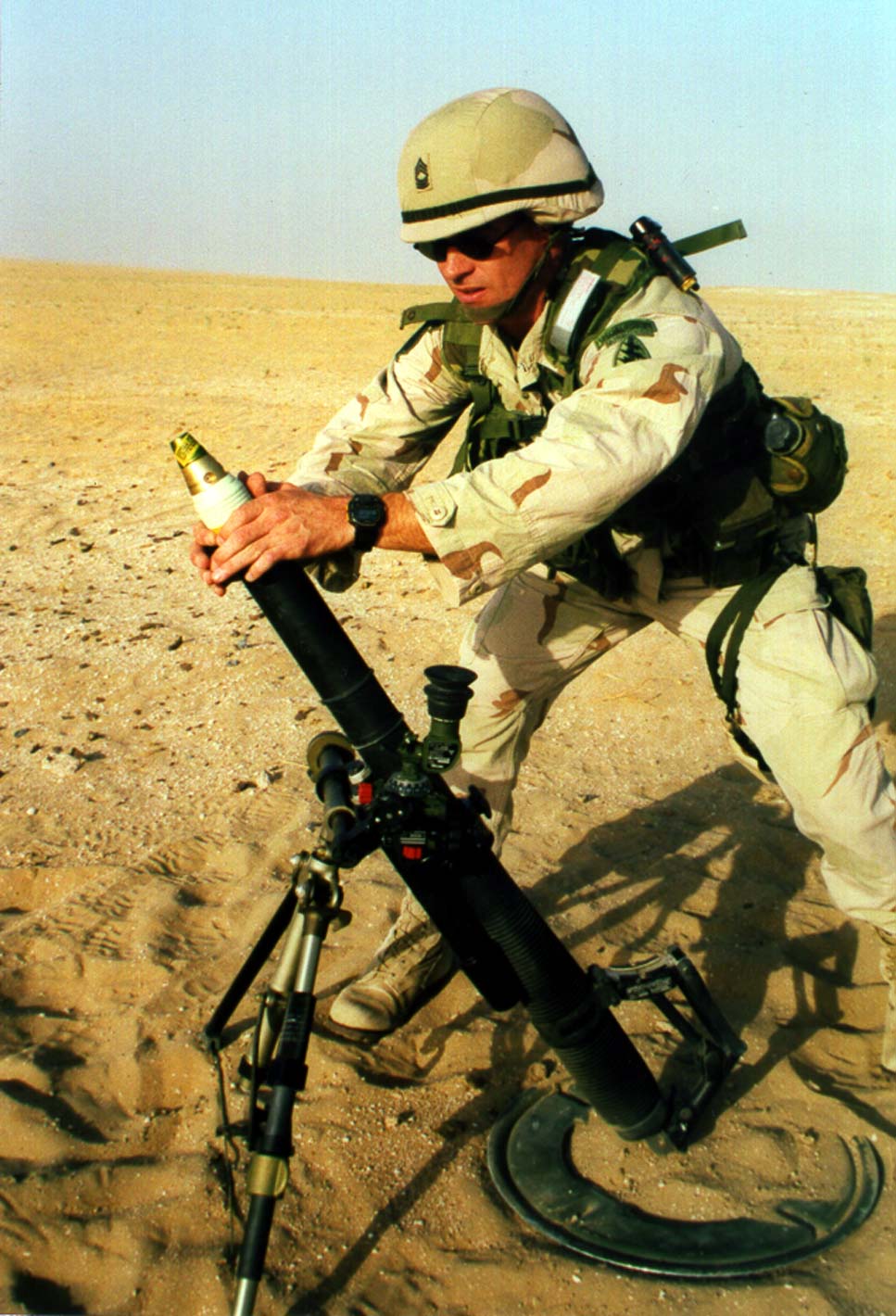
I don't have a problem with the current G5 setup, but a real mortar (like this http://www.fas.org/man/dod-101/sys/land/m225-mortar.jpg ) would certainly be a nice addition to the BW arsenal. Shoots unguided high trajectory shells with good range and damage, can only be fired when mounted. Maybe 2 or 3 different ammo types, otherwise pretty straightforward. I'd rather see something like this than the "artillery strike" (we already have UT's SPMA, and I don't particularly like it) tbh... Post edited by: Redshift, at: 2006/05/06 17:54 |
|
| Author: | Bjossi [ Sat May 06, 2006 5:52 pm ] |
| Post subject: | viewshake problem (drunkwalk's fine) |
I want to be able to use the G5 heat seeking rockets inside, they are useless in maps that don't have insane z-limit. :S |
|
| Author: | Redshift [ Sat May 06, 2006 7:33 pm ] |
| Post subject: | viewshake problem (drunkwalk's fine) |
Bigass rocket launchers aren't really meant for indoor use, ya know... :lol: Just had this crazy idea, btw: a double barreled RPG7! Like in the pic below, but with 2 side-by-side barrels that can either be fired simultaneously (for a really big bang) or in quick succession, just like the shotguns. This would be a simple unguided weapon (though special could be a laser designator or whatever) for both indoor & outdoor use. Fast, straight flying rockets that produce a good deal of deadly shrapnel. Moderately effective against vehicles, highly effective against people. Whoomp, there it is (again), the RPG7!! [img size=300]http://www.runestorm.za.net/components/com_joomlaboard/uploaded/images/rpg7-fc2c6107d97049c79fd66a36245bf985.jpg[/img] |
|
| Author: | Mr.UglyPants [ Sat May 06, 2006 7:41 pm ] |
| Post subject: | viewshake problem (drunkwalk's fine) |
that thing just keeps popping up everywhere! |
|
| Author: | ShadowBlade [ Sat May 06, 2006 8:05 pm ] |
| Post subject: | viewshake problem (drunkwalk's fine) |
this bug does not seem to happen on Windows platforms that we've seen!! there is no way we can test it out on anything other than windows right now:( do you have v1.7 Hammer? |
|
| Author: | Bjossi [ Sat May 06, 2006 8:58 pm ] |
| Post subject: | viewshake problem (drunkwalk's fine) |
RPG7 looks ugly. And sure a big ass rocket launcher can be used indoors. 
|
|
| Author: | Spiced Hammer [ Mon May 08, 2006 9:13 am ] |
| Post subject: | viewshake problem (drunkwalk's fine) |
Yes, I've 1.7 now. I'm gonna go see what 1.71 adds just out of curiosity. I'm not really gonna play much unless you would like some log data. Regarding that and your only having windows systems to test on, is there a log file I should give you the contents of? If so, I'll fire up BW when I have time and try to collect data for you. Though not many people use linux now, Macs are kinda popular and a fix for one might also be a fix for the other... I think that real RPG looks scary.  hmy: hmy:
|
|
| Author: | ShadowBlade [ Mon May 08, 2006 10:00 am ] |
| Post subject: | viewshake problem (drunkwalk's fine) |
sucks we cant test on other platforms!!:( |
|
| Author: | Spiced Hammer [ Mon May 08, 2006 11:32 am ] |
| Post subject: | viewshake problem (drunkwalk's fine) |
Would testing be required to try to fix it, though? If it happens to be one little pointer or something you can fix from log data, I'm more than willing to try to collect those data for you. As it is I can hardly play botmatches, let alone online. If there's nothing we can do, I'll just have to shelf BW until you can work on other platforms- if that ever happens. It's a great mod, but to me no video game is worth the features I'd have to give up and abuse I'd have to put up with to switch back to Windows or the money I'd have to cough up to use a Mac... I'm spoiled rotten, that's why I'm more of an Xbox than PC gamer.
|
|
| Author: | ShadowBlade [ Mon May 08, 2006 11:50 am ] |
| Post subject: | viewshake problem (drunkwalk's fine) |
yeah.. might b good idea 2 send us the log.. may not be able to collect all the data from the log tho.. see if u can track down exactly how it happens.. |
|
| Author: | Spiced Hammer [ Mon May 08, 2006 12:00 pm ] |
| Post subject: | viewshake problem (drunkwalk's fine) |
Yeah, about that... I don't even know what the log file's called and where it is. :blush: That's why I asked. By the way... Shorter menu load time and new Ballistic.ini sound awesome! I can't wait to see what's in there. |
|
| Author: | Bjossi [ Mon May 08, 2006 1:46 pm ] |
| Post subject: | viewshake problem (drunkwalk's fine) |
By default. C:\UT2004\System\UT2004.log And with an INI file, you can change settings before launching the game to avoid GUI loadtimes altogether. 
|
|
| Author: | Spiced Hammer [ Mon May 08, 2006 2:01 pm ] |
| Post subject: | viewshake problem (drunkwalk's fine) |
Sweet, thanks. Getting on that's the first thing I'll do next I play UT. For me, it should be /home/[censored]/.ut2004/System/UT2004.log if the filename's the same. Thank you thank you thank you thank you! 
|
|
| Author: | Bjossi [ Mon May 08, 2006 3:40 pm ] |
| Post subject: | viewshake problem (drunkwalk's fine) |
No problem. I assume you aren't using Windows, because how the location is. 
|
|
| Author: | Spiced Hammer [ Tue May 09, 2006 12:53 pm ] |
| Post subject: | viewshake problem (drunkwalk's fine) |
You shouldn't have to assume from that given how we've been talking about this... We have another new user who seems to have signed up for the same reason I did. Welcome Cannon Goose! I brought the log data. I don't see anything in it, but I'm not out of ideas yet. I'm sure there's some kinda debug mode, I'll look for it later. As you can see, I'm running 3369. I just reinstalled fresh and brought her up to current tonight because I had so many crappy downloads mixed in and didn't want to pick them out manually. The shaking happens most often when I crouch, get hit, or switch weapons- especially if I'm moving or crouching. It also rarely happens right after the start of a match; the likelihood of it happening fluctuates. Also, I noticed that the colour my screen flashes is the colour of the inner part of my crosshair and the flash is transparent, not opaque. [quote author=Player?Class=Engine.Pawn?Character=Matrix?team=1?Sex=F?Voice=XGame.MercFemaleVoice Log: Collecting garbage Log: Purging garbage Log: Garbage: objects: 33847->33844; refs: 350100 Log: Game class is 'CinematicGame' Log: Bringing Level NvidiaLogo.myLevel up for play (0) appSeconds: 4.246455... ScriptLog: GameInfo::InitGame : bEnableStatLogging False Log: Created and initialized a new SDL viewport. Warning: Failed to load 'CelesteFX': Can't find file for package 'CelesteFX' Warning: Failed to load 'AS-Confexia': Can't find file for package 'CelesteFX' Warning: Failed to load 'LevelSummary AS-Confexia.LevelSummary': Can't find file for package 'CelesteFX' Warning: Error loading AS-Confexia ! Warning: Failed to load 'AssaultBP': Can't find file for package 'AssaultBP' Warning: Failed to load 'AS-BP2-Thrust': Can't find file for package 'AssaultBP' Warning: Failed to load 'LevelSummary AS-BP2-Thrust.LevelSummary': Can't find file for package 'AssaultBP' Warning: Error loading AS-BP2-Thrust ! Warning: Failed to load 'AssaultBP': Can't find file for package 'AssaultBP' Warning: Failed to load 'AS-BP2-Outback': Can't find file for package 'AssaultBP' Warning: Failed to load 'LevelSummary AS-BP2-Outback.LevelSummary': Can't find file for package 'AssaultBP' Warning: Error loading AS-BP2-Outback ! Log: ALAudio: Using ALC_EXT_capture to record audio. ScriptLog: New Player Player id=d720956c221fe9f6696c36c614acb928 Log: TTS: No output filename specified. Log: Enter SetRes: 1024x768 Fullscreen 1 Log: OpenGL Log: GL_VENDOR : NVIDIA Corporation Log: GL_RENDERER : GeForce FX 5500/AGP/SSE/3DNOW! Log: GL_VERSION : 1.5.3 NVIDIA 71.74 Log: OpenGL: Device supports: GL Log: OpenGL: Device supports: GL_EXT_bgra Log: OpenGL: Device supports: GL_ARB_texture_compression Log: OpenGL: Device supports: GL_EXT_texture_compression_s3tc Log: OpenGL: Device supports: GL_ARB_texture_cube_map Log: OpenGL: Device supports: GL_ARB_texture_env_combine Log: OpenGL: Device supports: GL_NV_texture_env_combine4 Log: OpenGL: Device supports: GL_EXT_texture_lod_bias Log: OpenGL: Device supports: GL_ARB_multitexture Log: OpenGL: Device supports: GL_NV_vertex_array_range Log: OpenGL: Device supports: GL_NV_vertex_array_range2 Log: OpenGL: Device supports: GL_ARB_multisample Log: OpenGL: Device supports: GL_NV_multisample_filter_hint Log: OpenGL: Device supports: GL_EXT_texture_filter_anisotropic Log: OpenGL: Device supports: GL_ARB_vertex_buffer_object Log: OpenGL: Device supports: GL_ARB_fragment_program Log: OpenGL: Device supports: GL_ARB_vertex_program Log: OpenGL: C32 RGB888 Z24 S8 Log: OpenGL: Level of anisotropy is 1.000000 (max 8.000000). Log: OpenGL: Have 0 multisamples buffers, 0 samples. Log: OpenGL: Failed to get a multisample GL context Log: OpenGL: Forcibly disabled pixel shaders. Log: OpenGL: Render-to-Texture support unavailable. Log: OpenGL: allocated 21 MByte of AGP memory Log: Startup time: 7.738318 seconds Log: Precaching: NvidiaLogo.LevelInfo0 Log: Static mesh batches: 508608 vertex bytes, 110460 index bytes Log: Allocating 32768 byte dynamic index buffer. Log: Allocating 65536 byte dynamic vertex buffer. Log: Finished precaching geometry in 0.046 seconds Log: Finished precaching textures in 0.273 seconds Debug: UT2k4MainMenu.Opened() Sender:Package.UT2k4MainMenu Log: URL: Adding default option Name=Player Log: URL: Adding default option Class=Engine.Pawn Log: URL: Adding default option Character=Matrix Log: URL: Adding default option team=1 Log: URL: Adding default option Voice=XGame.MercFemaleVoice Log: Browse: Index.ut2?disconnect?Name=Player?Class=Engine.Pawn?Character=Matrix?team=1?Voice=XGame.MercFemaleVoice Log: Failed; returning to Entry ScriptLog: UT2k4MainMenu NotifyLevelChange PendingConnection:False Log: GP=FALSE Log: Spawning new actor for Viewport SDLViewport ScriptLog: New Player Player id=d720956c221fe9f6696c36c614acb928 Log: Static mesh batches: 0 vertex bytes, 0 index bytes Warning: Failed to load 'NULL': Can't resolve package name Warning: Failed to load 'Mesh None.': Can't resolve package name ScriptLog: Could not load mesh: For player: Debug: UT2k4MainMenu.Opened() Sender:None Log: Time=1498.196288 ms Debug: UT2k4MainMenu.Opened() Sender:None ScriptLog: Attempting to close a non-existing menu page Log: URL: Adding default option Name=Player Log: URL: Adding default option Class=Engine.Pawn Log: URL: Adding default option Character=Matrix Log: URL: Adding default option team=1 Log: URL: Adding default option Voice=XGame.MercFemaleVoice Log: Browse: DM-Compressed?BonusVehicles=false?Game=XGame.xDeathMatch?Mutator=Ballistic.Mut_Sprinter,Ballistic.Mut_BallisticSwap,Ballistic.Mut_BloodyHell,XGame.MutRegen?DMTeam=xgame.DMRosterConfigured?Name=Player?Class=Engine.Pawn?Character=Matrix?team=1?Voice=XGame.MercFemaleVoice Log: Collecting garbage Log: Purging garbage Log: (Karma): Level Karma Terminated. Log: Garbage: objects: 44553->39599; refs: 526306 Log: Game class is 'xDeathMatch' Log: Bringing Level DM-Compressed.myLevel up for play (0) appSeconds: 92.429905... ScriptLog: Mutators Ballistic.Mut_Sprinter,Ballistic.Mut_BallisticSwap,Ballistic.Mut_BloodyHell,XGame.MutRegen ScriptLog: Itemizer: 7 good databases found. ScriptLog: Itemizer Initialized: DataBase: Ballistic.ItemDB_Ballistic, Items in DB: 0, MapName: DM-Compressed, Group: Ballistic, Map/Group Items: 0 ScriptLog: GameInfo::InitGame : bEnableStatLogging False ScriptLog: Itemizer: 7 good databases found. ScriptLog: Itemizer Initialized: DataBase: Ballistic.ItemDB_Ballistic, Items in DB: 0, MapName: DM-Compressed, Group: Ballistic, Map/Group Items: 0 ScriptLog: Itemizer: 7 good databases found. ScriptLog: Itemizer Initialized: DataBase: Ballistic.ItemDB_Ballistic, Items in DB: 0, MapName: DM-Compressed, Group: Ballistic, Map/Group Items: 0 ScriptLog: Itemizer: 7 good databases found. ScriptLog: Itemizer Initialized: DataBase: Ballistic.ItemDB_Ballistic, Items in DB: 0, MapName: DM-Compressed, Group: Ballistic, Map/Group Items: 0 ScriptLog: Itemizer: 7 good databases found. ScriptLog: Itemizer Initialized: DataBase: Ballistic.ItemDB_Ballistic, Items in DB: 0, MapName: DM-Compressed, Group: Ballistic, Map/Group Items: 0 ScriptLog: Itemizer: 7 good databases found. ScriptLog: Itemizer Initialized: DataBase: Ballistic.ItemDB_Ballistic, Items in DB: 0, MapName: DM-Compressed, Group: Ballistic, Map/Group Items: 0 ScriptLog: Itemizer: 7 good databases found. ScriptLog: Itemizer Initialized: DataBase: Ballistic.ItemDB_Ballistic, Items in DB: 0, MapName: DM-Compressed, Group: Ballistic, Map/Group Items: 0 Log: Spawning new actor for Viewport SDLViewport ScriptLog: New Player Player id=d720956c221fe9f6696c36c614acb928 Log: Precaching: DM-Compressed.LevelInfo0 Log: Static mesh batches: 4983732 vertex bytes, 530040 index bytes Log: Allocating 32768 byte dynamic index buffer. Log: Allocating 65536 byte dynamic vertex buffer. Log: Finished precaching geometry in 1.145 seconds Log: Finished precaching textures in 3.648 seconds ScriptLog: START MATCH Log: Allocating 66816 byte dynamic vertex buffer. Log: Allocating 68608 byte dynamic vertex buffer. Log: Allocating 70400 byte dynamic vertex buffer. Log: Allocating 115056 byte dynamic vertex buffer. Log: Allocating 115200 byte dynamic vertex buffer. Log: Allocating 115344 byte dynamic vertex buffer. Log: Allocating 115488 byte dynamic vertex buffer. Log: Allocating 115632 byte dynamic vertex buffer. Log: Allocating 115776 byte dynamic vertex buffer. Log: Allocating 115920 byte dynamic vertex buffer. Log: Allocating 116064 byte dynamic vertex buffer. Log: Allocating 116208 byte dynamic vertex buffer. Log: Allocating 116352 byte dynamic vertex buffer. Log: Allocating 116496 byte dynamic vertex buffer. Log: Allocating 116640 byte dynamic vertex buffer. Log: Allocating 116784 byte dynamic vertex buffer. Log: Allocating 116928 byte dynamic vertex buffer. Log: Allocating 117072 byte dynamic vertex buffer. Log: Allocating 117216 byte dynamic vertex buffer. Log: Allocating 117360 byte dynamic vertex buffer. Log: Allocating 117504 byte dynamic vertex buffer. Log: Allocating 117648 byte dynamic vertex buffer. Log: Allocating 117792 byte dynamic vertex buffer. Log: Allocating 117936 byte dynamic vertex buffer. Log: Allocating 118080 byte dynamic vertex buffer. Log: Allocating 118224 byte dynamic vertex buffer. Log: Allocating 118368 byte dynamic vertex buffer. Log: Allocating 118512 byte dynamic vertex buffer. Log: Allocating 118656 byte dynamic vertex buffer. Log: Allocating 118800 byte dynamic vertex buffer. Log: Allocating 118944 byte dynamic vertex buffer. Log: Allocating 119088 byte dynamic vertex buffer. Warning: Failed to load 'NULL': Can't resolve package name Warning: Failed to load 'Mesh None.': Can't resolve package name ScriptLog: Could not load mesh: For player: Warning: xBot DM-Compressed.xBot (Function UnrealGame.Bot.ChooseAttackMode:038F) Accessed None 'markedItem' Warning: xBot DM-Compressed.xBot (Function UnrealGame.Bot.ChooseAttackMode:038F) Accessed None 'markedItem' Warning: xBot DM-Compressed.xBot (Function UnrealGame.Bot.ChooseAttackMode:038F) Accessed None 'markedItem' Warning: xBot DM-Compressed.xBot (Function UnrealGame.Bot.ChooseAttackMode:038F) Accessed None 'markedItem' Log: Closing by request Log: appRequestExit(0) Exit: Preparing to exit. Log: Purging garbage Exit: Game engine shut down Exit: SDL client shut down Log: Waiting for file streaming thread to finish... Exit: OpenAL Audio subsystem shut down. Log: (Karma): Level Karma Terminated. Log: d Log: Garbage: objects: 58649->0; refs: 526306 Exit: Object subsystem successfully closed. Exit: Exiting. Log: FileManager: Reading 0 GByte 105 MByte 120 KByte 212 Bytes from HD took 11.231097 seconds (11.231097 reading, 0.000000 seeking). Log: FileManager: 0.000000 seconds spent with misc. duties Uninitialized: Name subsystem shut down Uninitialized: Allocation checking disabled Uninitialized: Log file closed, Tue May 9 03:28:48 2006 [/quote][/b]Package so it wouldn't show up as Sender:Package. Post edited by: Spiced Hammer, at: 2006/05/09 14:00 |
|
| Author: | Bjossi [ Tue May 09, 2006 1:16 pm ] |
| Post subject: | viewshake problem (drunkwalk's fine) |
Nothing in the log points to this issue. And the worst thing is that this bug is unfixable unless the developers get help outside from an UScripter that uses a Mac/Linux. :S |
|
| Author: | Spiced Hammer [ Wed May 10, 2006 8:17 am ] |
| Post subject: | viewshake problem (drunkwalk's fine) |
Yeah, I noticed. I put the data up anyway just in case it's because I'm too dense to see something... I bought the DVD edition w/ bonus disc hoping to see what all the talk of UED's about and found out that the superb linux support is for the game only; I can't get into script yet. Well, technically I can but I want to start with something that'll hold my pathetic attention span. I'm told it's object-oriented, human-friendly, and kinda sorta like javascript. I'm actually saving up money to upgrade specifically for UT2007 because it will have full linux support this time... :whoohoo:
|
|
| Author: | ShadowBlade [ Wed May 10, 2006 10:16 am ] |
| Post subject: | viewshake problem (drunkwalk's fine) |
thanks.. i'll take a look at the log.. maybe theres something.. PC seems 2 be the only platform with UnrealEd!! y? give u access to a bunch of stuff. 
|
|
| Author: | Spiced Hammer [ Thu May 11, 2006 8:57 am ] |
| Post subject: | viewshake problem (drunkwalk's fine) |
Quote: thanks.. i'll take a look at the log.. maybe theres something.. you[/i]. I hope this works for Goose's Mac too. As for the debug mode, I can't find it. I just looked around online and found "stat all", which I'm going to try, but that's all.
The only area linux is lacking in is games... Hot dag, Prey has me seriously considering buying yet another console. (I have three already!) The fact that I don't just install Windows should tell you how spoiled I am on KDE; I can have as many desktops as I want to sort all my crap out. Come on, how sexy is that? It's also stable; every single time it's locked up or choked on something was when I did something absurdly stoopid like running three instances of UT or trying to pack 2 gigs into a tarball. :lol: |
|
| Author: | ShadowBlade [ Fri May 12, 2006 7:53 am ] |
| Post subject: | viewshake problem (drunkwalk's fine) |
cant see nothing in log which would indicated that problem:( looks like we need some mac and/or linux coders to have a log at our mod..
|
|
| Page 1 of 1 | All times are UTC - 6 hours |
| Powered by phpBB © 2000, 2002, 2005, 2007 phpBB Group http://www.phpbb.com/ |
|